
An Adame product
Northbound
Northbound helps find companies, decide which ones to contact and follow each relationship through to a project.
Explore the project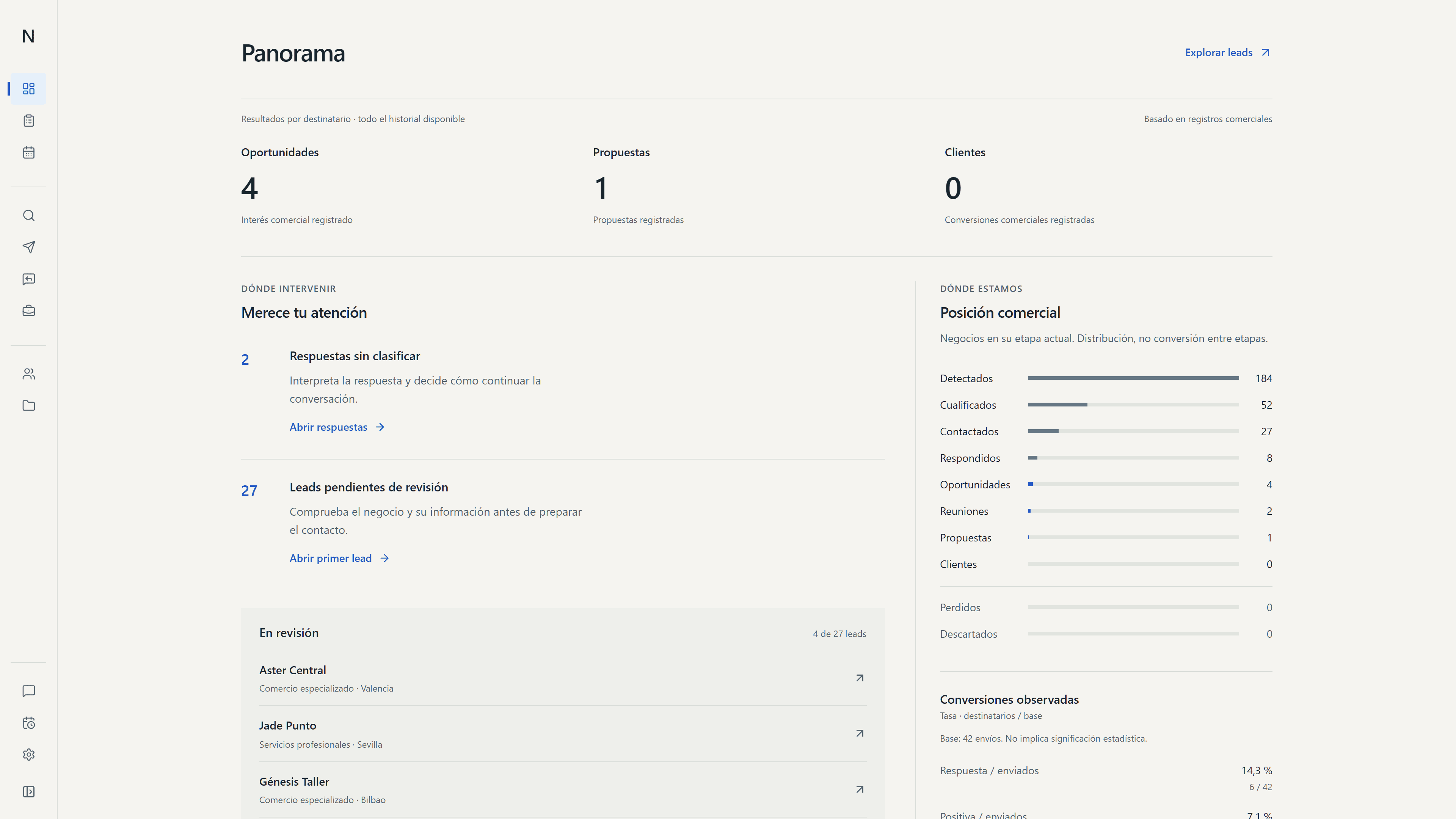
Find companies and follow each contact
Northbound brings company research and sales follow-up into one place.
It shows what the team knows about each company, whether anyone has contacted them, what they said and what should happen next.
From company search to project work
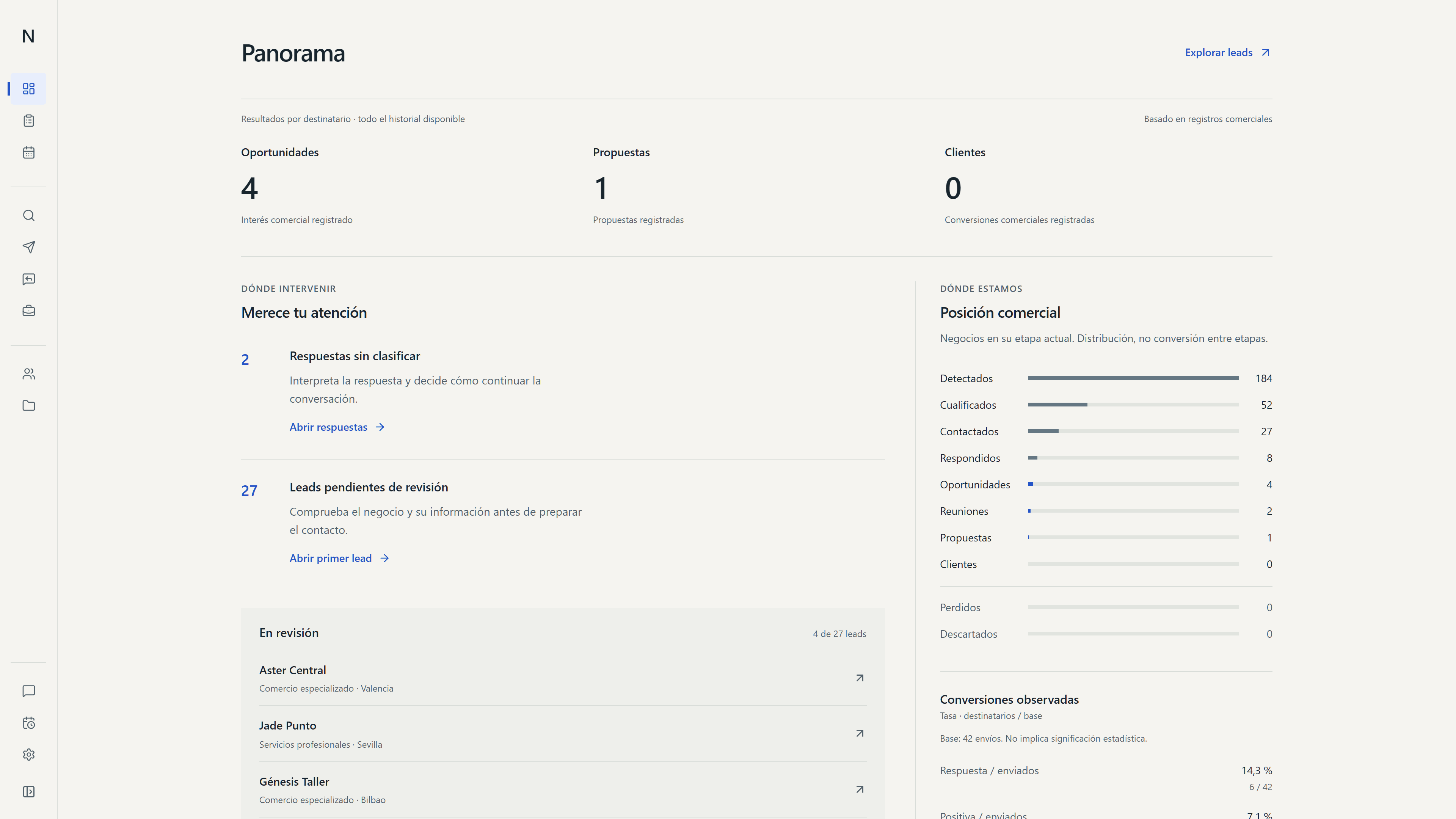
The overview shows companies to review, open conversations, opportunities and pending tasks. The team can see what needs attention first.
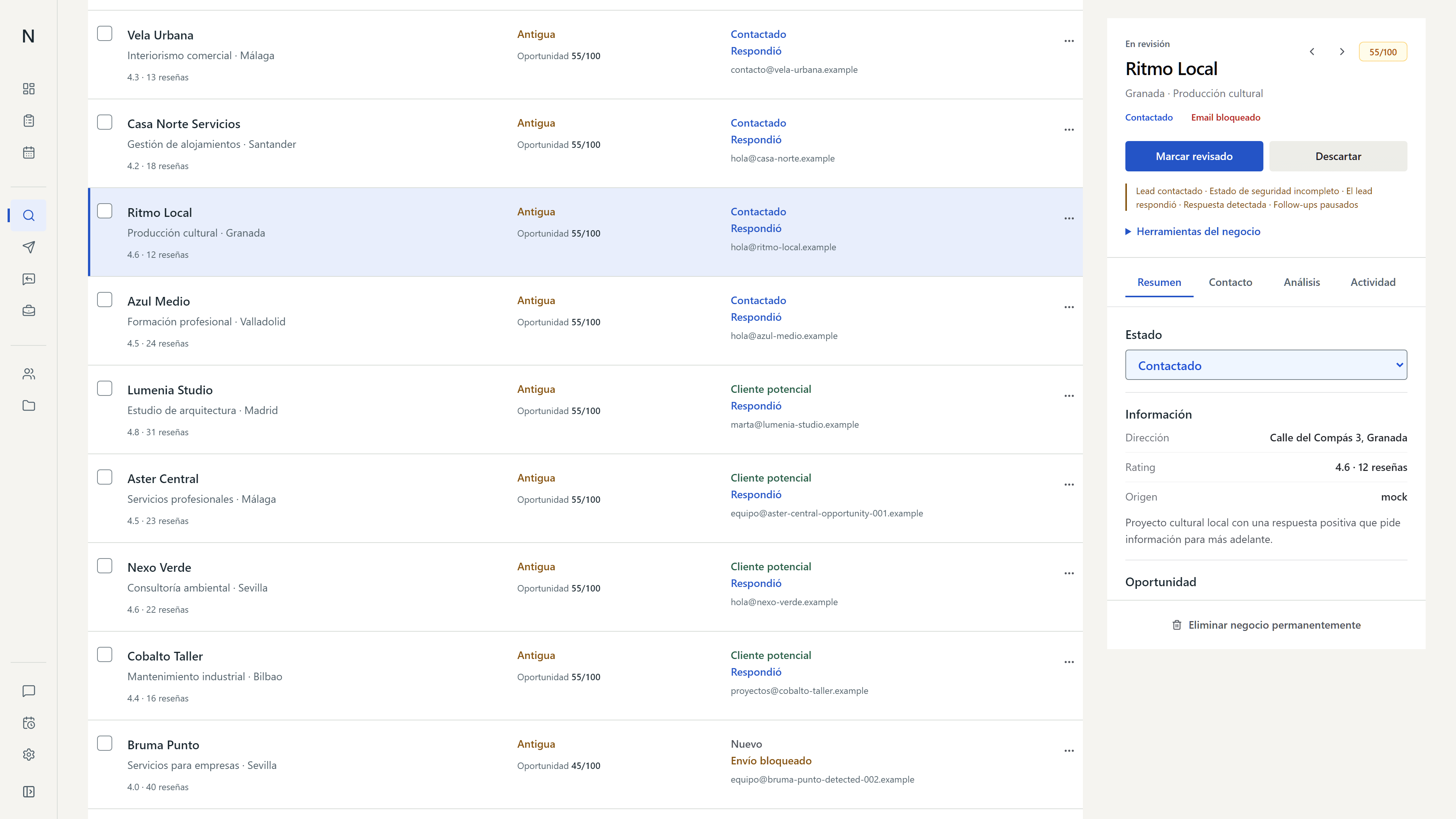
Review companies before reaching out
Northbound finds companies by sector and location and gathers public information about each one. The team reviews which are a good fit before making contact.
Automated tasks with human review
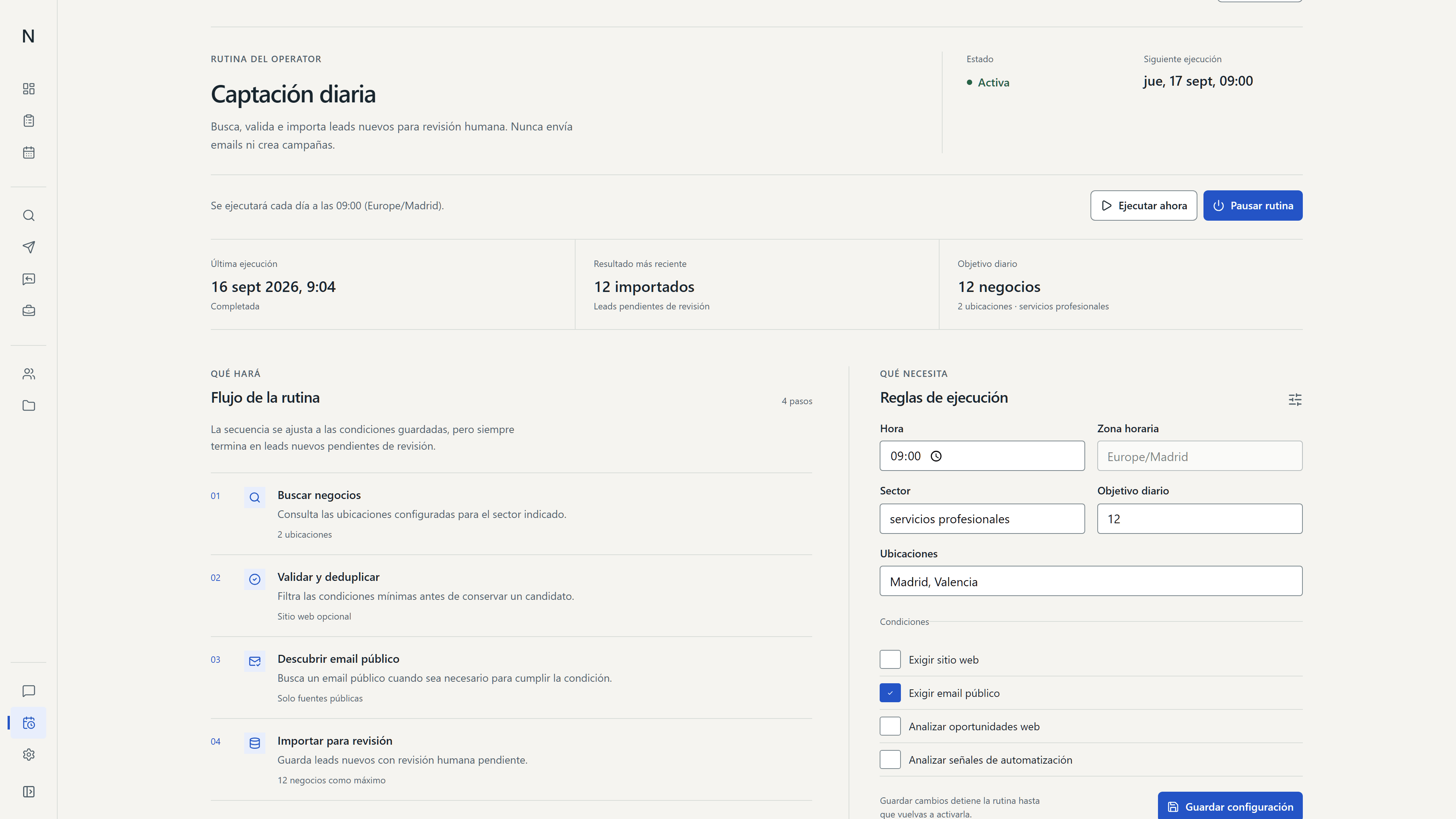
Automated tasks help find and organize companies. The team decides whom to contact and which actions to approve.
Each task shows its steps and result. Before contacting a company, Northbound checks its history to avoid duplicate or unwanted messages.
Track the progress of each task
The team can see what each task has done and what remains. Reaching out to a company is still the team's decision.
From reply to project
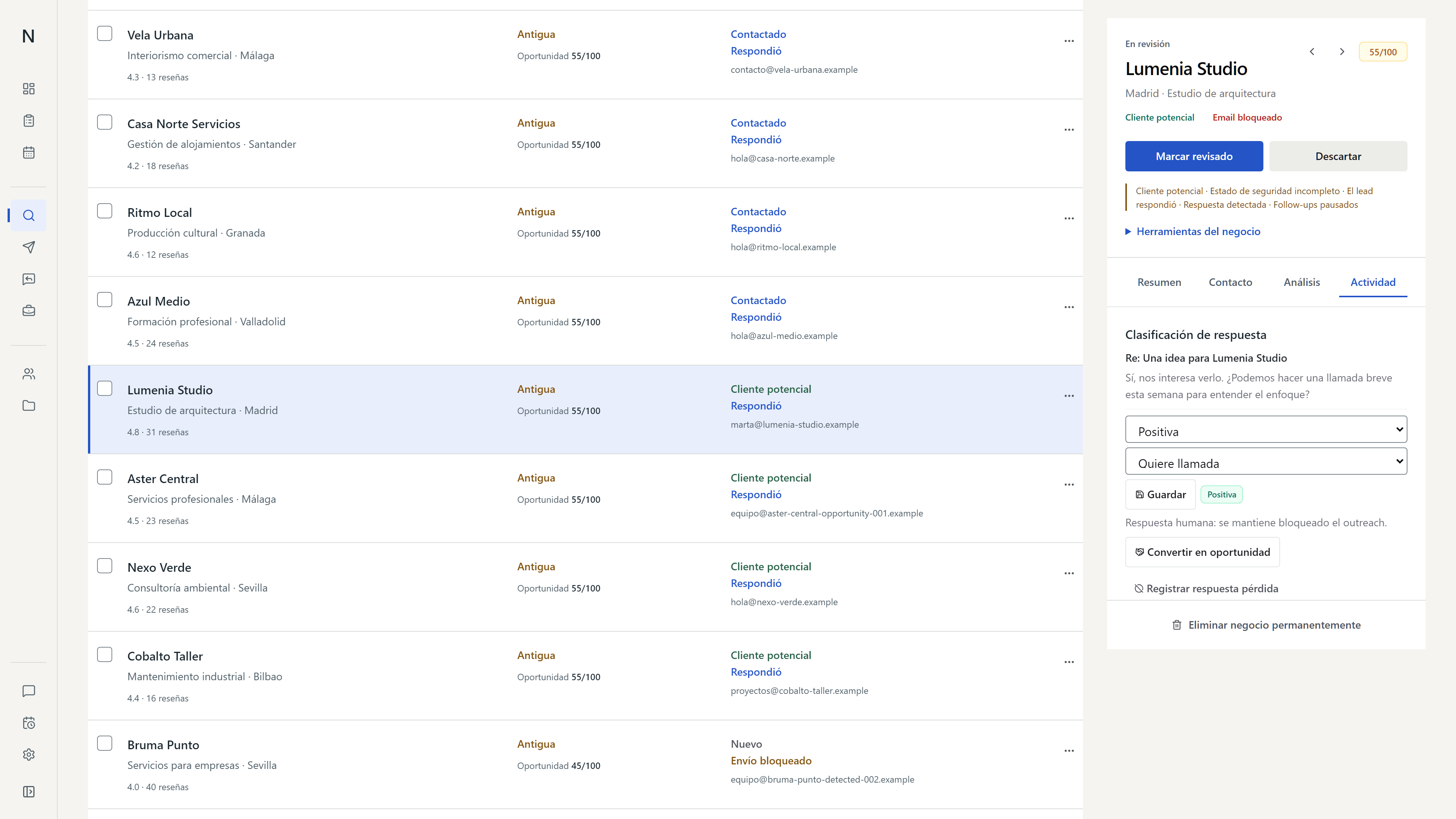
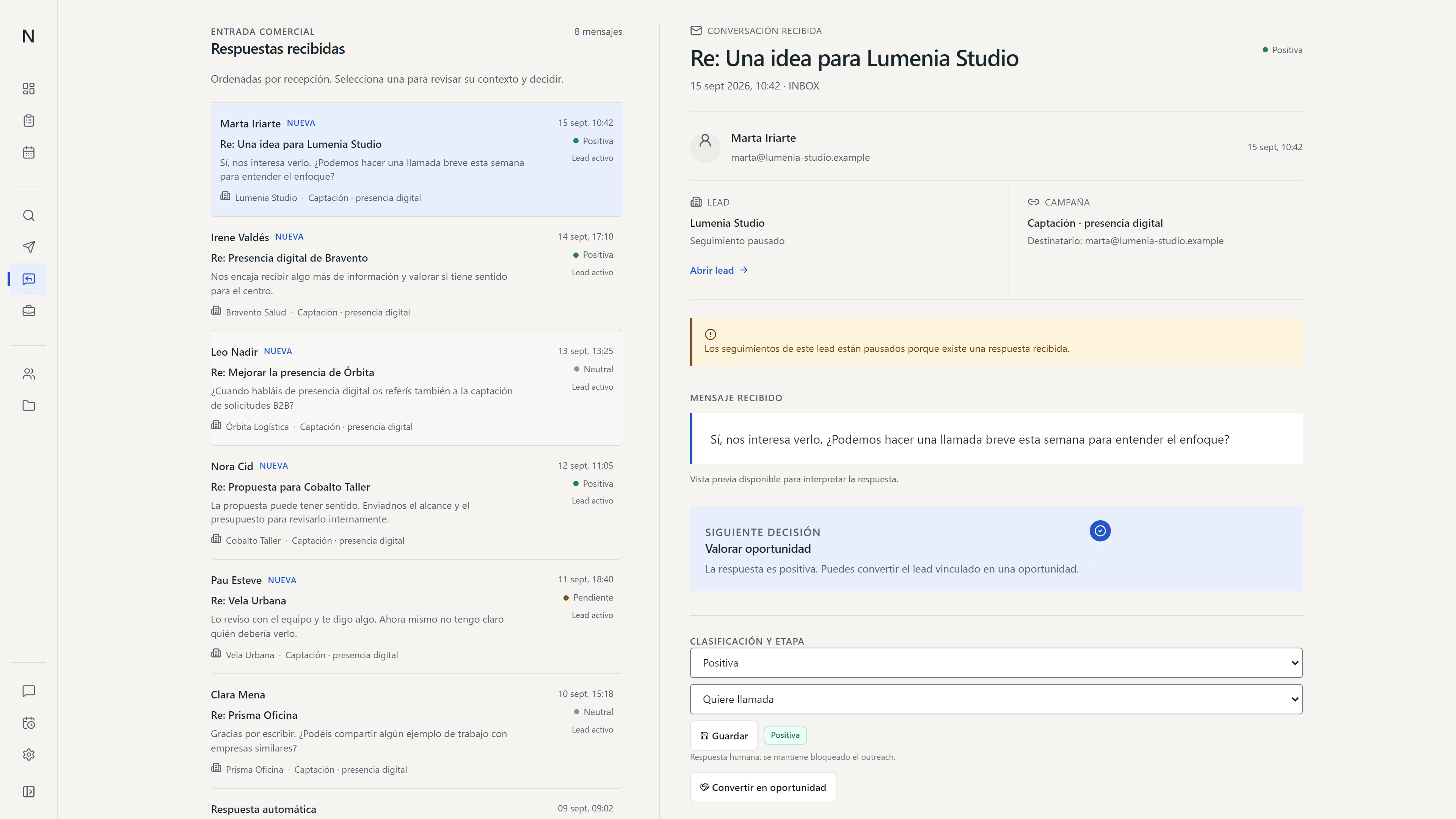
Replies stay with each company's details, so the team can continue the conversation.
An interested reply can become an opportunity. If the relationship progresses, the opportunity can become a client and then a project, with the contact history available at every stage.
Follow replies
Northbound gathers replies and shows which need review or a follow-up.
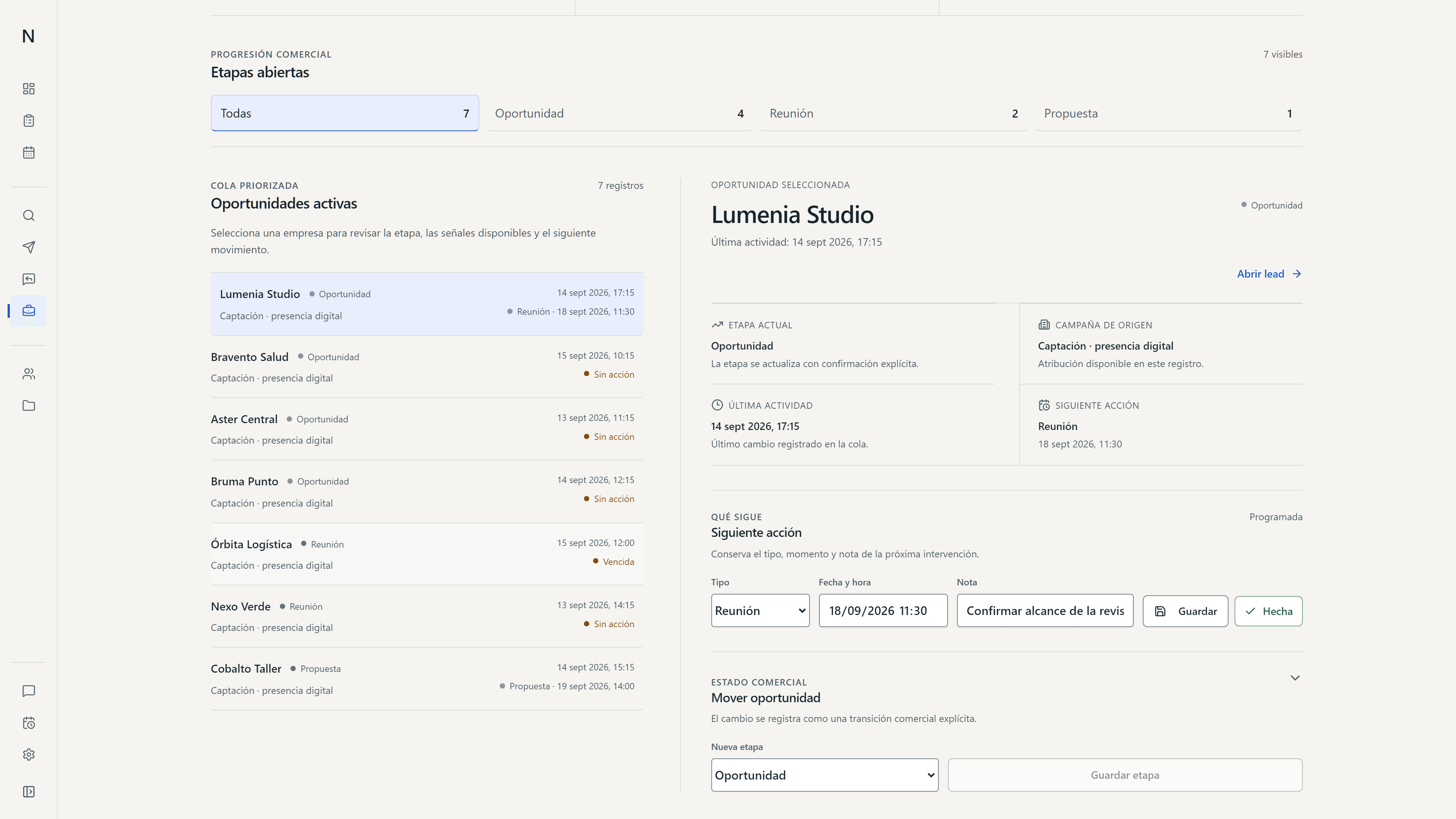
Follow opportunities
Each opportunity has a stage and a next action. If it becomes a client and then a project, the history of the relationship stays with it.
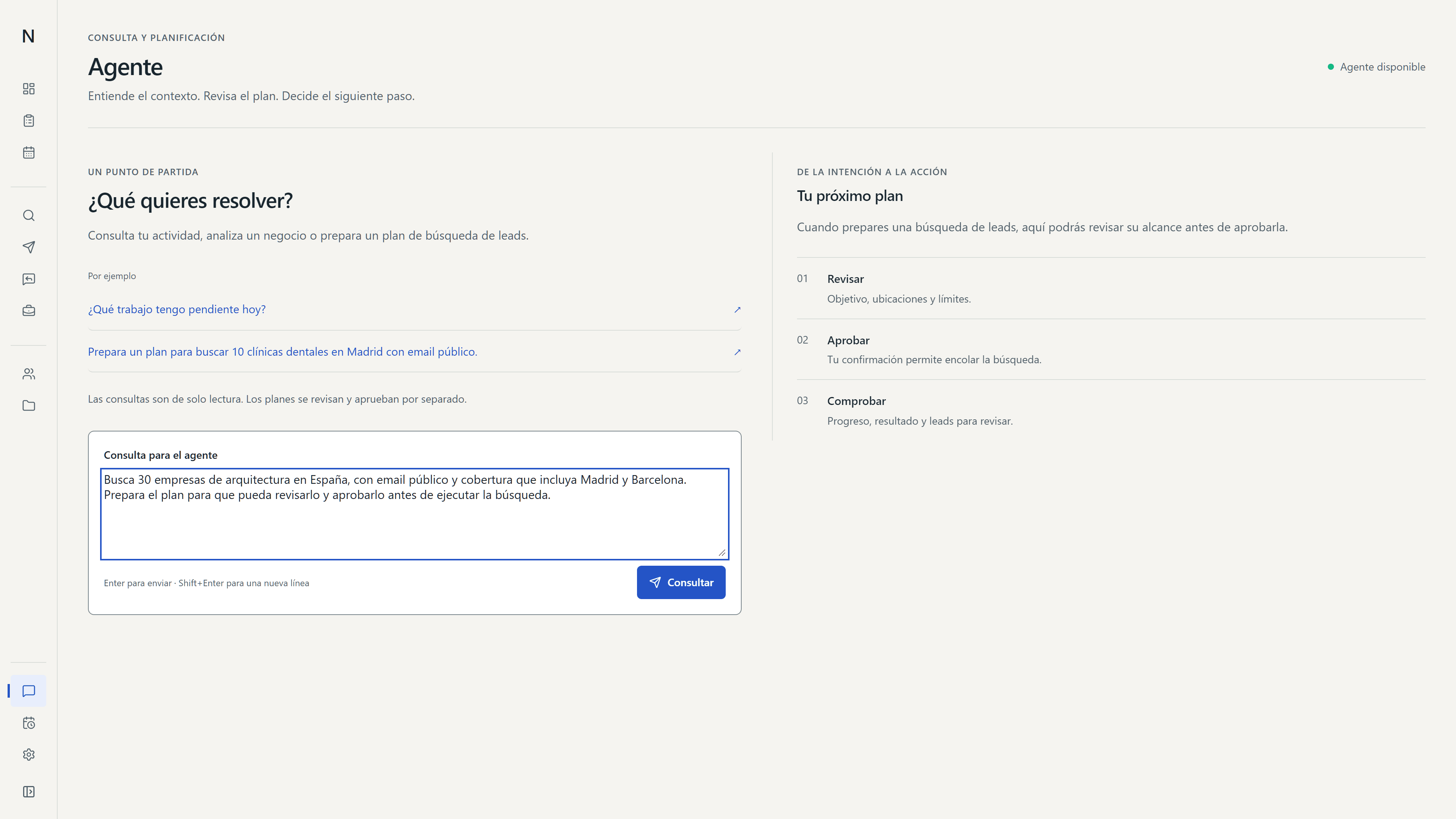
The agent prepares a search plan
It can consult information in Northbound and suggest actions. The team reviews the plan and confirms important decisions; the agent cannot act on its own.
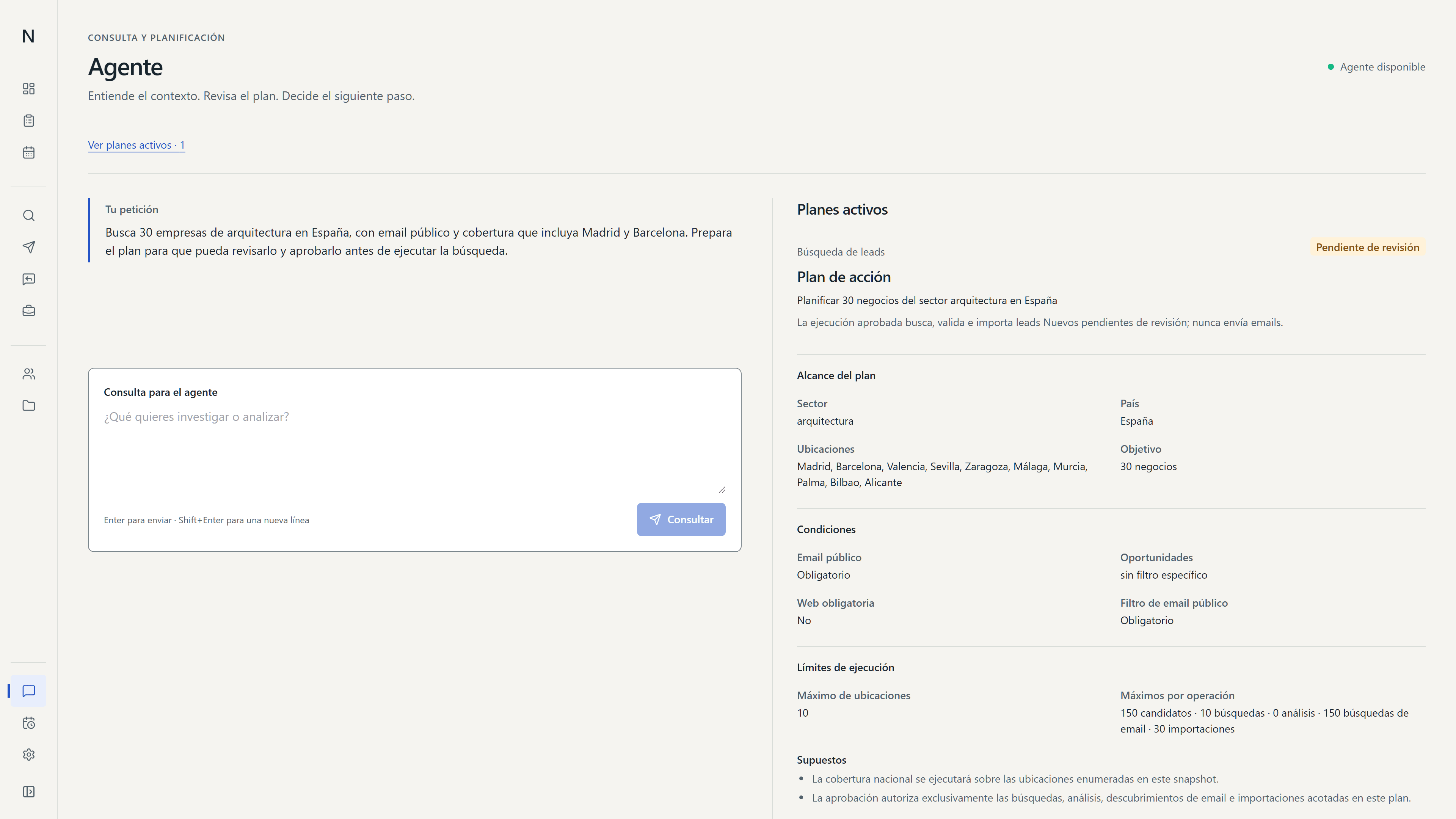
Decisions before contact and follow-up
Choose whom to contact
The team reviews each company before adding it to a campaign.
Check contact history
Previous replies, earlier contact and duplicates are checked before a message is sent.
Confirm sends
If it is unclear whether an email was sent, Northbound waits for confirmation before trying again.
Keep the context
Research and conversations stay with an opportunity as it becomes a client and a project.
How a sales relationship progresses
Northbound connects company search, outreach and the work that follows with clients.
Each stage shows the information needed for the next decision. The agent can consult that context and prepare actions, but the team confirms important decisions.
- DISCOVERCompanies · Research · Review
Find companies and choose which to contact.
- CONTACTOutreach · Replies · Opportunities
Follow the conversation and assess interest.
- WORKClients · Projects · Tasks
Continue the work with the context gathered so far.
The journey shows how a company found through research can become a project.
Current state of Northbound
Northbound is an internal tool for Adame. The screens use sample data.
The product is still in development. This case shows how it works without claiming commercial results that have not yet been measured.